From blank page to finished exam.
Every exam is drafted, checked and approved the same way. Then it goes out on paper or online.
Every exam starts the same way. Same tools, same sign-off.
Map your curriculum
Subjects, chapters, cognitive skills and question types become tags that every question carries. One taxonomy for the whole department.
- Any board, any subject structure
- Tags drive search, Auto Select and results by topic
Draft with AI or by hand
Describe the question you want and a complete, worked, tagged draft comes back for your review. Prefer to type? The full question editor does the same job. AI is a shortcut, not a requirement.
- Both paths land in the same bank and the same review flow
- Same tags, difficulty and worked solutions either way
Approve before it ships
Drafts queue for review, and no one can approve their own exam. Your name goes on the paper, so the sign-off stays with your team.
- A pending-approval queue for every subject
- Reviewers see the question exactly as students will
Access that mirrors your staff structure
Role-based access keeps every team in its lane, so the right people draft, review and sign off.
- Organisations, sub-organisations and subject-level access
- Roles for teachers, typists, admins and read-only viewers
- Invite staff with expiring links and approve requests to join
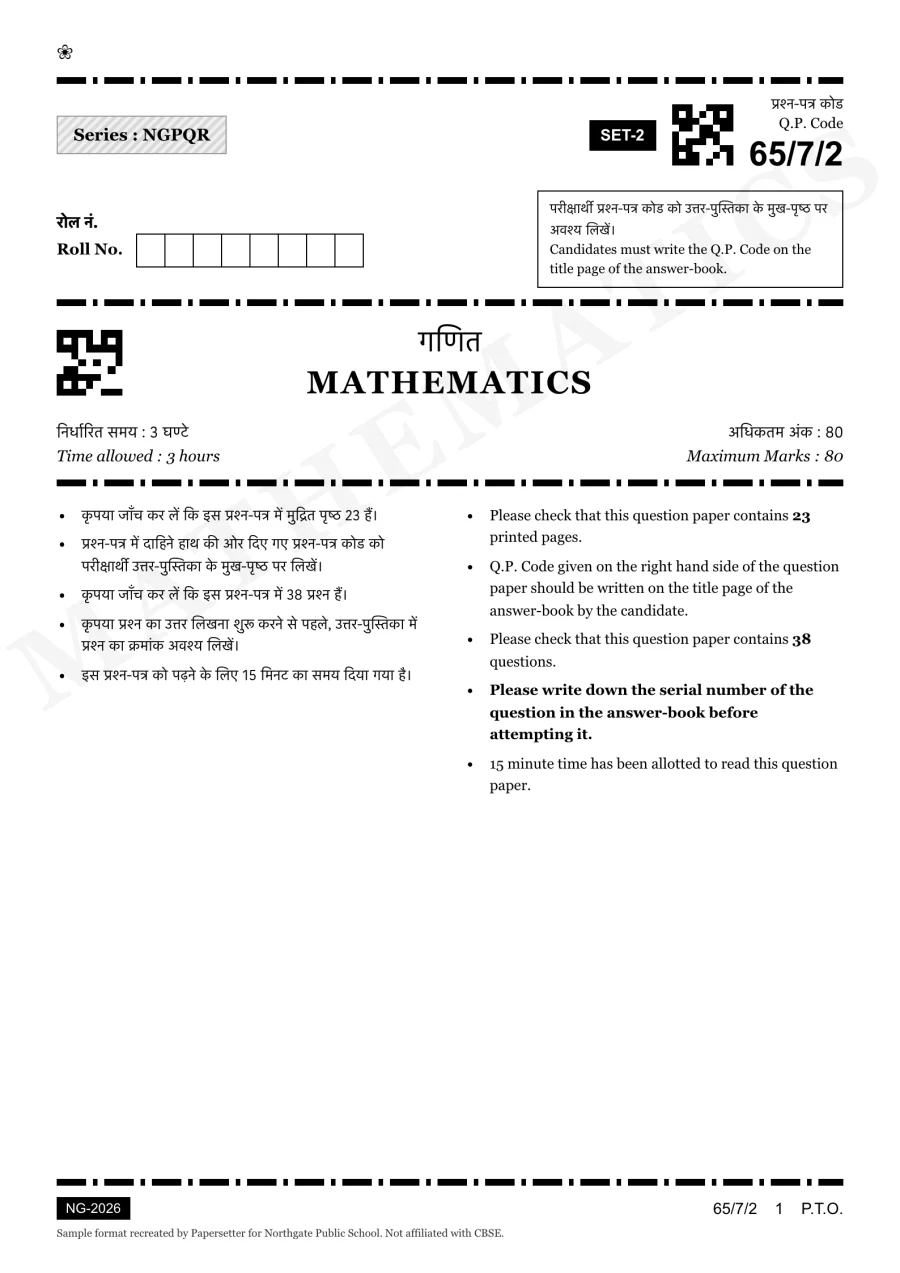
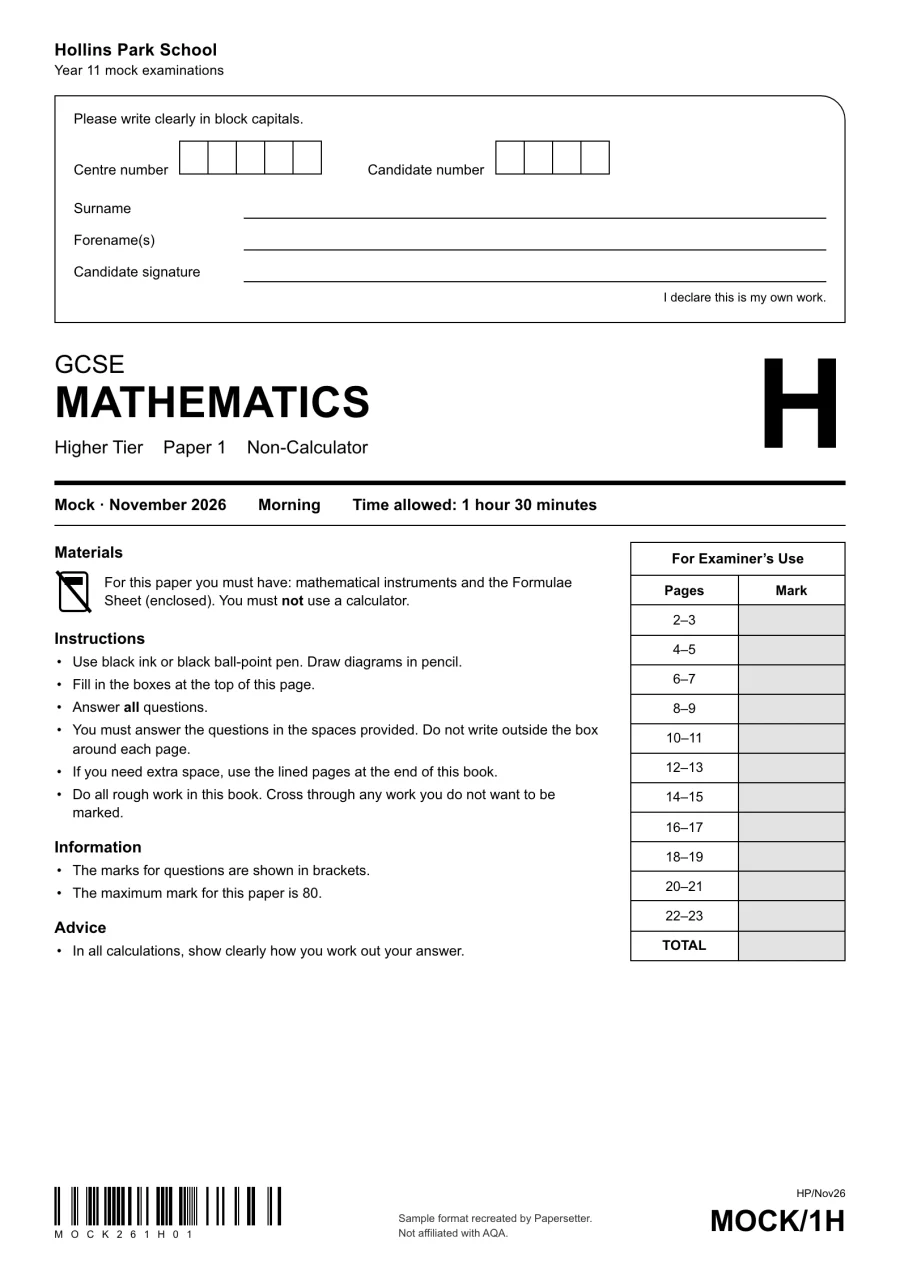
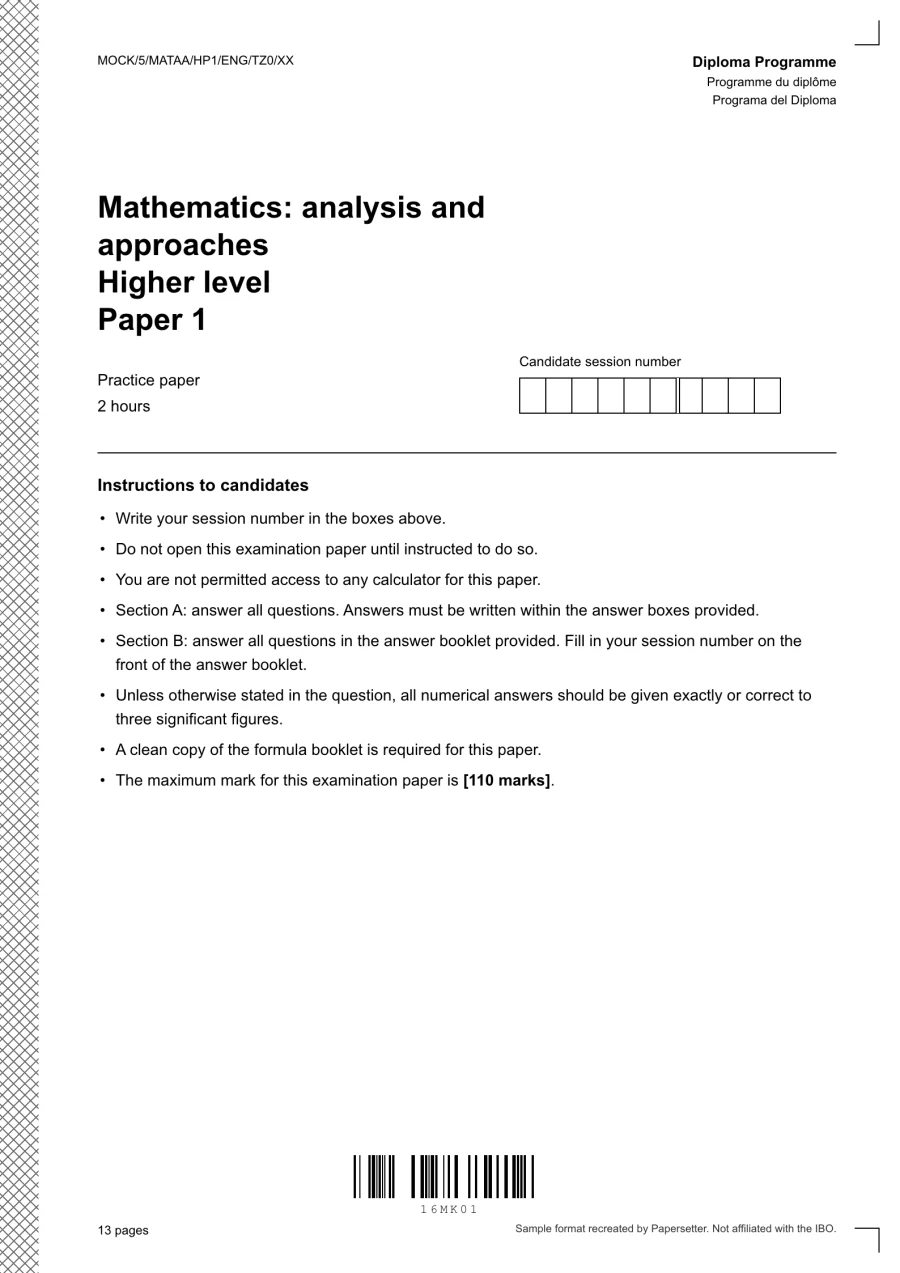
On paper. Printed in your school’s format.
Print-ready, in your format
We set up your cover page and layout with you, and every exam after that follows it. Print the paper or save a PDF for the exam hall.
- Your cover page, sections and instructions
- Print or save a PDF straight from the builder
Answer sheets with worked solutions
Worked solutions travel with each question, so the answer sheet assembles itself, ready to print beside the paper.
- Answer sheets with worked solutions, ready to print
Online. A join code and a screen they know.
Join with a code
Hand out a join code that opens a focused exam screen. Here, a live UCAT-style sitting.
- Timed sittings with durable autosave
- Tab-switch and copy/paste flags for every candidate
Familiar exam screens
Give students an exam environment they recognise. Ready-made UCAT, HPAT and NEET screens bring the right tools, timing and navigation to every practice sitting.
Your exam has a format too.
Use an online template to set your own sections, timing and navigation.Marked automatically
Online sittings mark themselves the moment students submit, and results break down by topic and question.
- Automatic marking with released reviews
- Results by topic and question for every sitting
Results
Year 11 Mathematics · Mock 3 · 30 students
- Average
- 70%
- Median
- 71%
- Passed
- 27 of 30
- Marked
- 30 of 30
Marks
By topic
This classAll topics
Questions
- Q1
- Q2
- Q3
- Q4
- Q5
- Q6
RightPartly rightWrongBlank
Most missed: Q6 · Probability
Bring your exam format.We’ll show you the rest.
A personal demo for your school or tutoring team, shaped around your curriculum, your templates and how you work.
Try exam creatorFree, no sign-up · laptop or desktop